Introduction
Android users who love lightweight Java‑based games often face the hassle of configuring a launch environment that can keep up with the game’s performance demands. MojoLauncher APK steps in as a purpose‑built front‑end that eliminates the guesswork, giving you a ready‑to‑play experience with just a few taps. Whether you are revisiting an old favorite or diving into a new LWJGL‑driven adventure, this launcher promises a smoother start‑up and a cleaner interface.
What is MojoLauncher APK?
Developed by artdeell, MojoLauncher is a specialized Android launcher tailored for a popular LWJGL (Lightweight Java Game Library) game. The app runs on devices with Android 5.0 and higher, requiring at least OpenGL ES 2.0 support and roughly 2 GB of RAM to function reliably. It acts as a bridge between the Android operating system and the Java game, handling the necessary runtime calls so the game can launch without manual tweaks.
Key technical identifiers include the package name git.artdeell.mojo, a current Version of hebe-20260326-, a File size of 50.51 MB, and a Last Updated timestamp of 26th March 2026. The launcher’s minimal hardware footprint makes it suitable for a wide range of smartphones and tablets that meet the baseline Android version requirement of Android 5.0 and any applicable architecture indicated by Universal.
Features
- Game‑specific shortcut handling: MojoLauncher creates a dedicated icon that launches the LWJGL game directly, bypassing the need for third‑party file explorers.
- Optimized OpenGL initialization: By pre‑checking for OpenGL ES 2.0 compatibility, the launcher ensures the graphics pipeline is ready before the game starts, reducing crashes caused by insufficient GPU support.
- Memory awareness: The app monitors available RAM and alerts the user if the device falls short of the 2 GB threshold, helping prevent slow‑downs during gameplay.
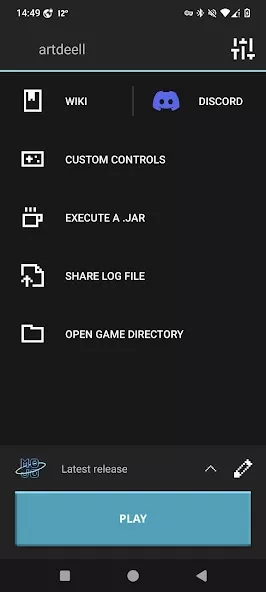
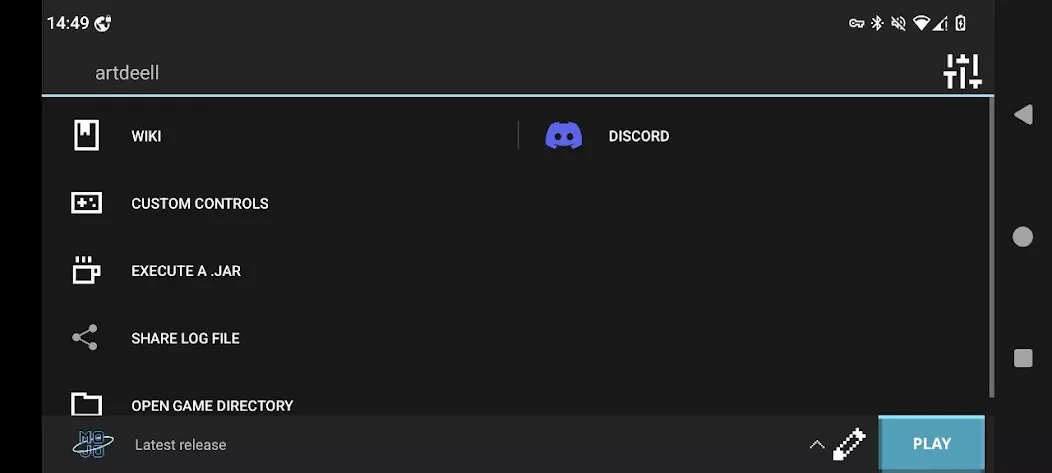
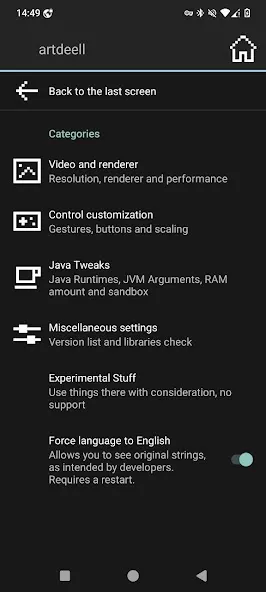
- Simplified settings panel: Users can toggle basic options such as fullscreen mode, screen orientation, and vibration feedback without digging into the game’s internal configuration files.
- Lightweight footprint: With a download size of just over 50 MB, MojoLauncher leaves ample storage for the game itself and any additional content you may wish to add.
- Regular updates: The developer pushes incremental improvements, as reflected in the recent update on 26th March 2026, which addresses minor bugs and refines the launch sequence.
How to Install MojoLauncher APK
- Open the Settings app on your Android device and navigate to Security (or Privacy on newer Android versions). Enable Install unknown apps for the browser or file manager you will use to download the APK.
- Using your preferred web browser, go to apknom.com and search for “MojoLauncher APK”. Locate the listing and tap the download button to save the file to your device.
- Once the download completes, pull down the notification shade or open the Downloads folder via a file manager. Tap the
MojoLauncher.apk file to start the installation wizard.
- Read the permissions screen carefully. The launcher typically requests access to storage (to locate the game files) and display over other apps (for shortcut creation). Accept the permissions and proceed.
- When the installation finishes, you’ll see a confirmation screen. You can now launch MojoLauncher from your app drawer, or directly from the newly created home‑screen shortcut.
- On first launch, the app may prompt you to point it to the folder where the LWJGL game resides. Follow the on‑screen instructions, and MojoLauncher will handle the rest.
If you encounter any permission‑related issues, revisit the Settings > Apps > MojoLauncher > Permissions section and ensure the required toggles are enabled.
Conclusion
MojoLauncher APK fills a niche that many Android gamers overlook: a seamless, low‑overhead entry point for Java‑based games that rely on LWJGL. By abstracting the technical steps needed to start the game, it lets you focus on the actual gameplay instead of fiddling with configuration files. Its modest size, clear user interface, and ongoing support make it a practical addition for anyone running the compatible game on Android 5.0 or newer. To get started, simply download the APK from apknom.com and follow the straightforward installation guide above.





Write a Review